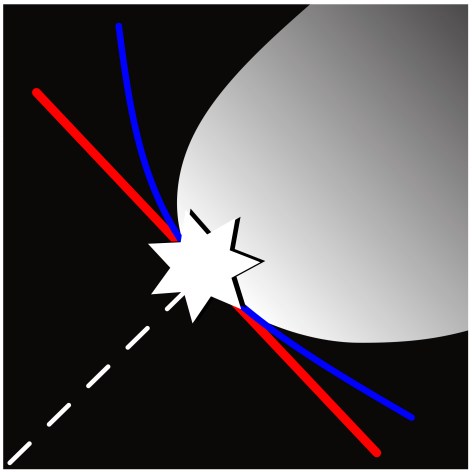
Reliability figures#
pystra.plotting provides common reliability plots. Each function accepts
an optional Matplotlib ax and returns (figure, ax). It does not call
show(), run an analysis or refit a surrogate. Labels, limits, colors and
legends can be adjusted using Matplotlib after the call. Calibration envelopes
use hatching, and PCE-selection and Strong Maximum Test groups use distinct
markers, so these comparisons do not depend on color alone.
Function |
Purpose |
|---|---|
|
Two-dimensional failure regions, true and surrogate boundaries, and optional density contours. |
|
A FORM design point, its radius and tangent, with optional transformed boundary points. |
|
Predicted response and spread along one normal coordinate, holding the others fixed. |
|
Exploratory failure probability and recorded sensitivity or bootstrap ranges against model evaluations. |
|
Corrected LOO scores for candidate degrees and hyperbolic truncations. |
|
Classified point groups from a completed two-dimensional Strong Maximum Test. |
Plot a limit state#
The callable receives an array of row-wise points and returns one response per
row. The zero contour is the boundary; failure is g <= 0:
import matplotlib.pyplot as plt
import pystra as ra

fig, ax = ra.plotting.plot_limit_state(
    lambda points: 3 - points[:, 0] - points[:, 1],
    bounds=((-4, 4), (-4, 4)),
    labels=("Resistance coordinate", "Load coordinate"),
)
ax.set_title("Limit-state geometry")
plt.show()
This evaluates the true model on a grid. Those evaluations are additional plotting cost and are not part of a previously completed analysis’s evaluation count. A finite grid can miss small failure regions; the image is not a probability estimate.
Pass surrogate=analysis.surrogate_model to compare a fitted surrogate
boundary. Both callables must use the same coordinates. Active-learning
surrogates use independent standard normal coordinates, so transform the
true model inputs when the physical variables differ from those coordinates.
Inspect learning and model selection#
For a completed active-learning run:
fig, ax = ra.plotting.plot_learning_history(result)
fig, ax = ra.plotting.plot_pce_selection(analysis.surrogate_model.fit_result)
Use band="bootstrap" for stored bootstrap probability ranges, or
band=None to omit ranges. These ranges describe surrogate sensitivity;
they are not confidence intervals or bounds on the true failure probability.
The history plot retains the stopping status and shows exploratory estimates.
The independent final estimate remains available on the result object.
For code-calibration envelopes, use the existing ra.calibration.plot_calibration helper.
See Code calibration using normalized reliability for factor comparisons.
The Reliability figures reference gives input shapes, coordinate conventions and validation rules. The PC-Kriging, bootstrap voting and importance sampling, Rosenblatt ordering in system reliability and Checking a FORM design point tutorials demonstrate composed figures.
Continue: Code calibration using normalized reliability · Reliability figures · Code calibration using normalized reliability